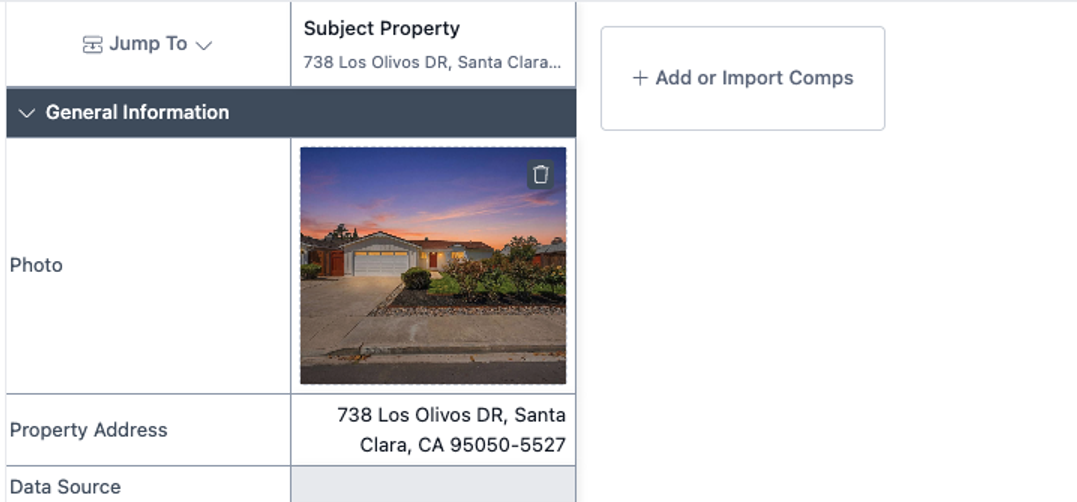
Add a Subject Property using an MLS#
Edited
This guide walks you through adding a subject property to your UAD 3.6 report or sales grid using an MLS number.
Step 1. Navigate to your report within the DataMaster portal
Step 2. Click + Add Subject to add the subject property.
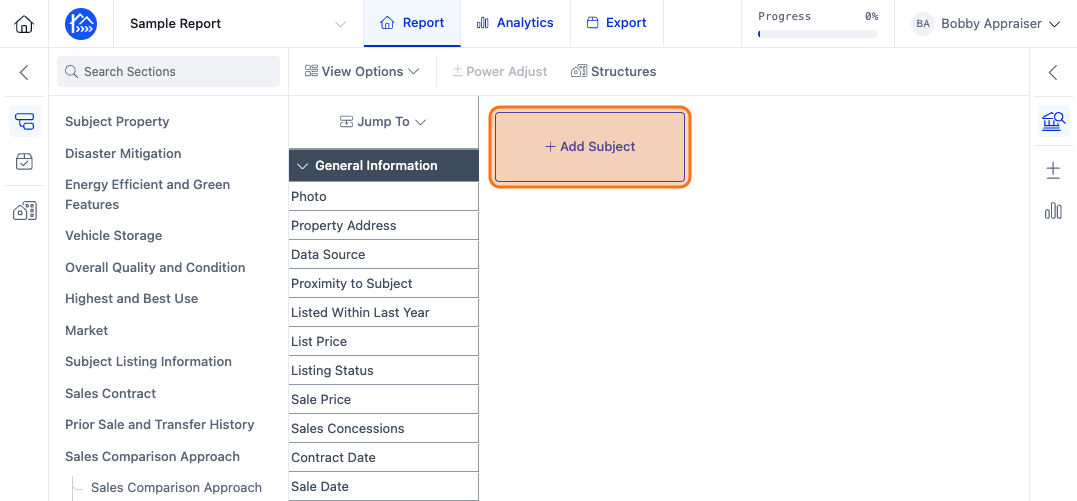
Step 3. Click on the MLS Number tab to add a property by MLS number.
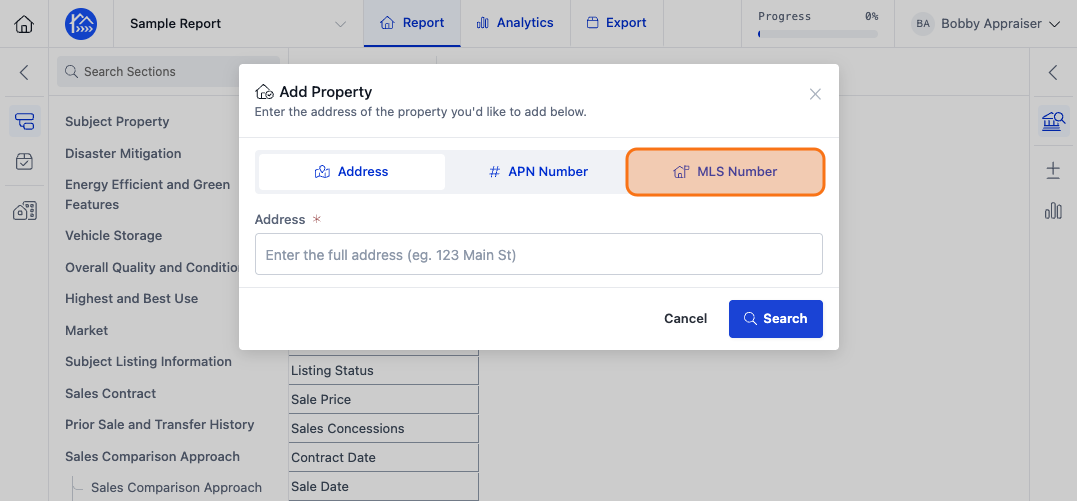
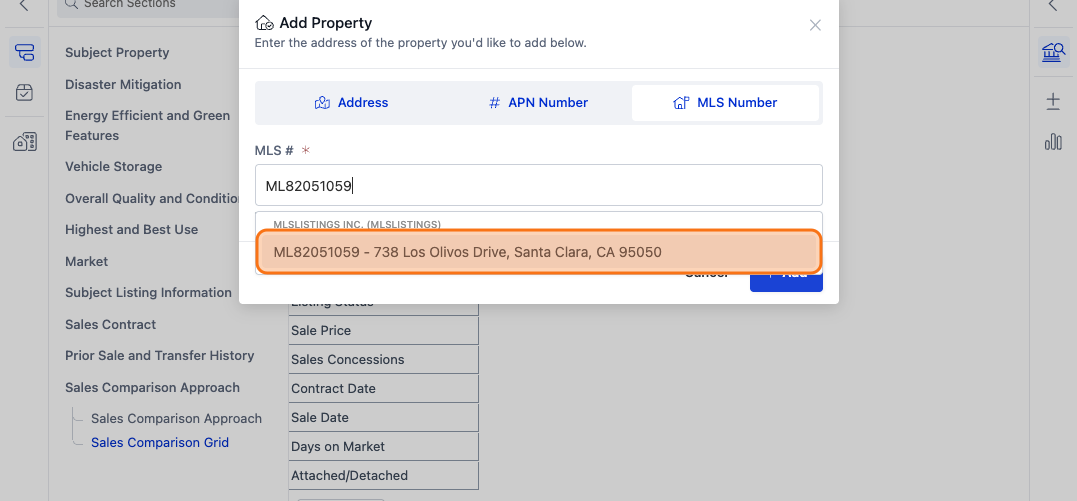
Step 4. Click the MLS # field and start typing the MLS number of your subject property
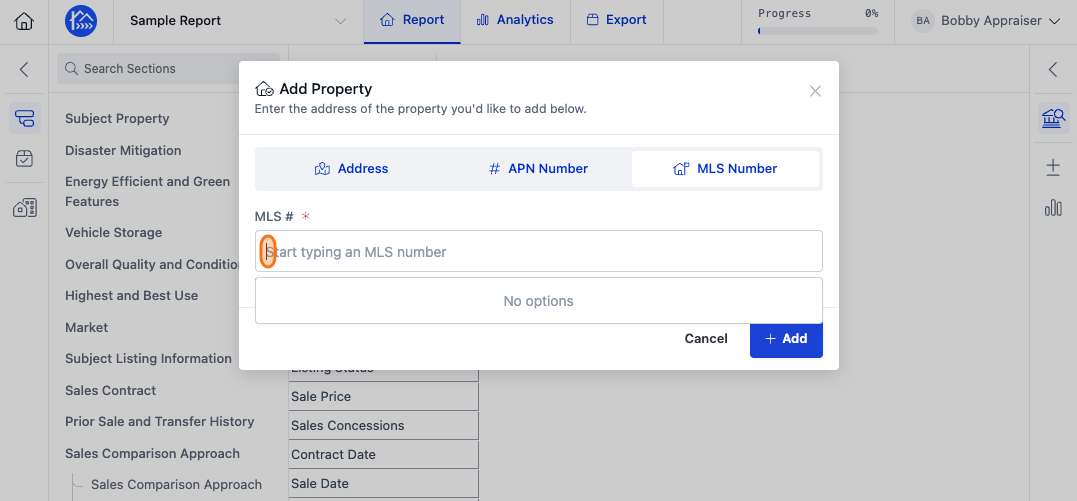
Step 5. Select the matching result with the MLS # of your subject
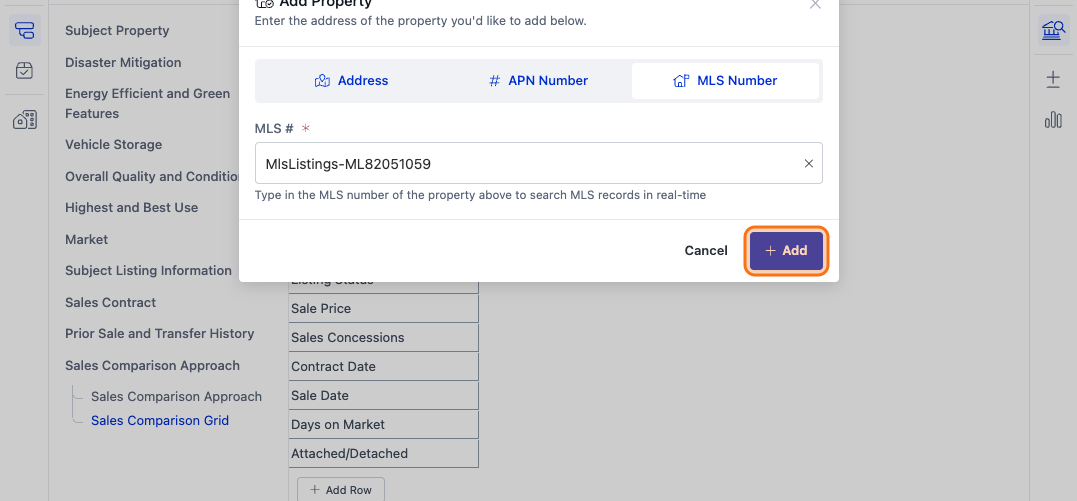
Step 6. Click Add to add the property.
Step 7. Your subject property should now be on the sales grid