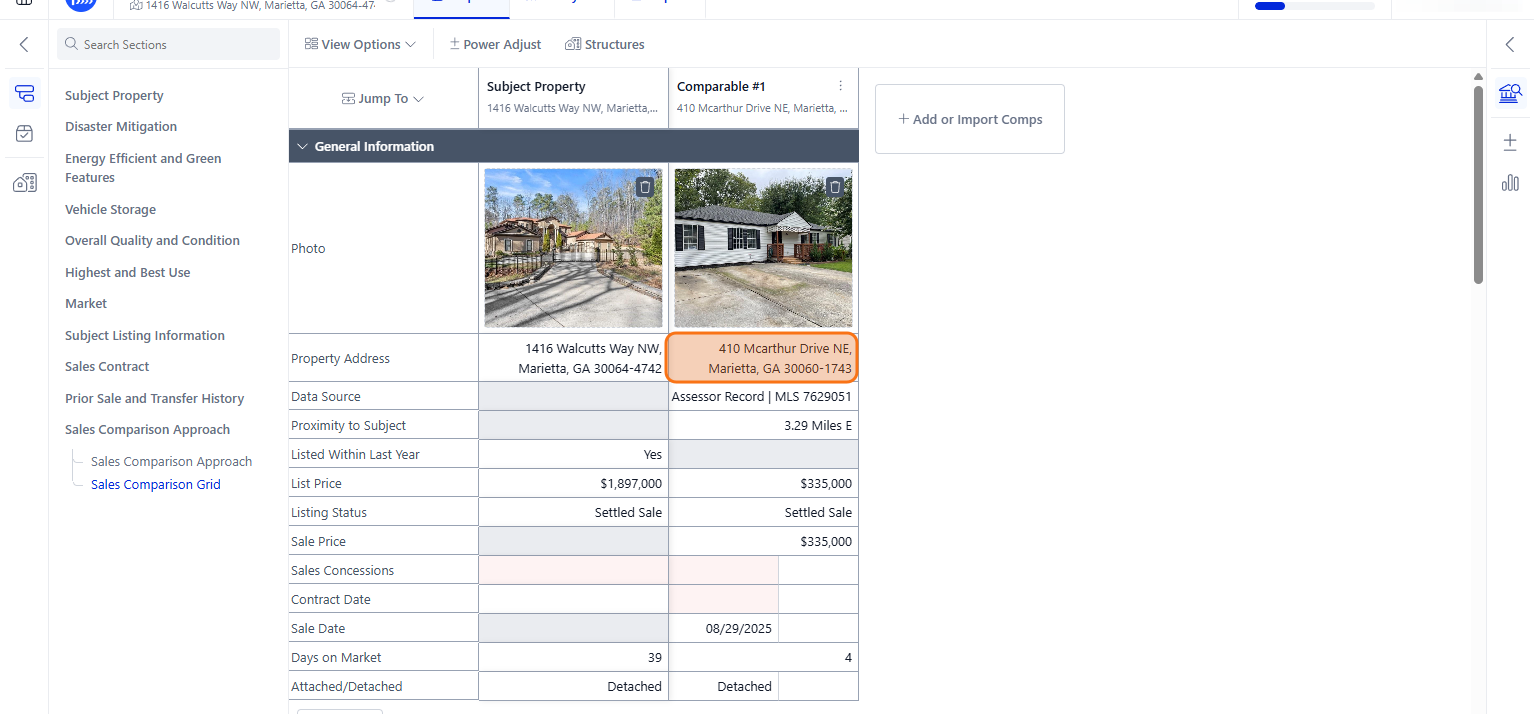
How to Add a Sales Comparable using a Property Parcel # (APN)
This guide shows how to add a comparable using a property parcel # to a Sales Comparison Approach report on DataMaster by navigating sections and inputting and selecting relevant property details effectively.
Step 1
Navigate to your report within the DataMaster portal
Step 2
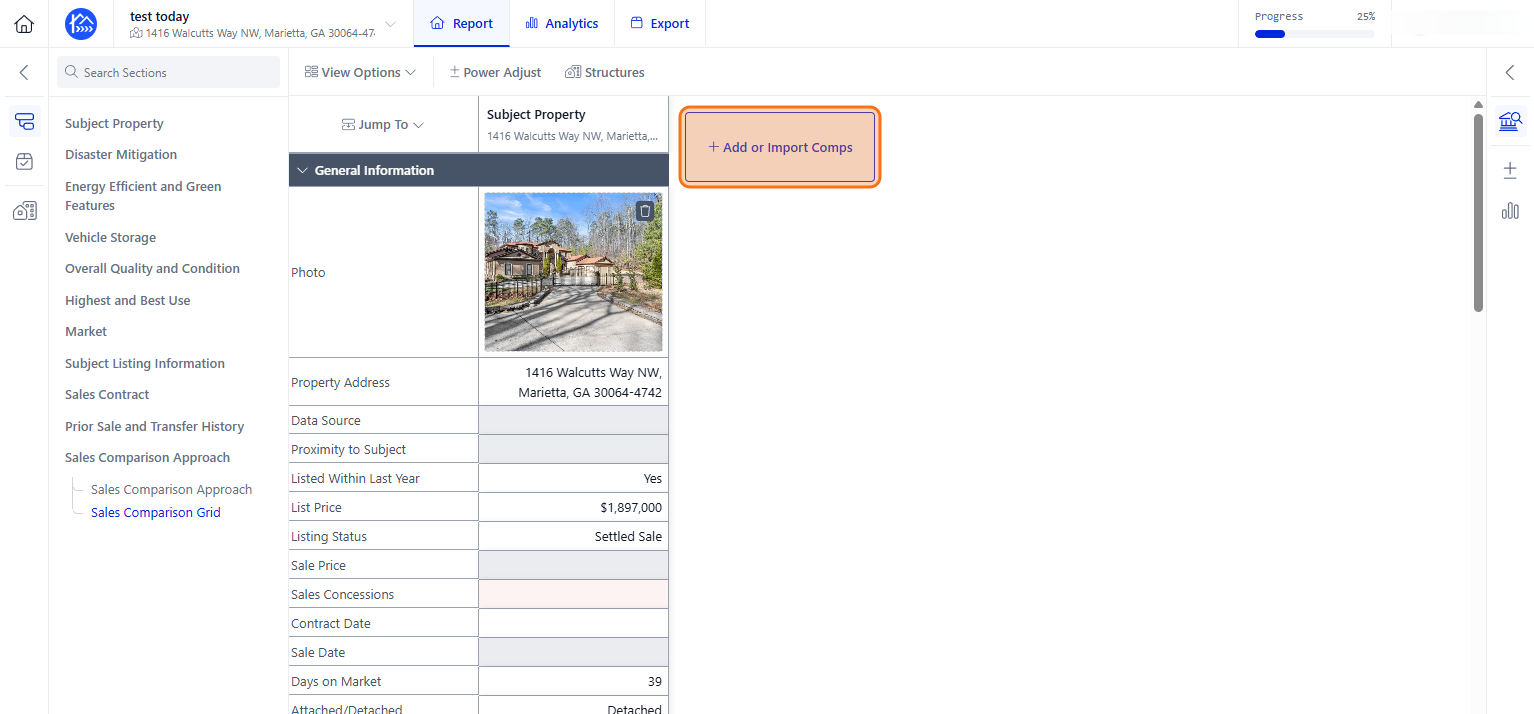
Given that you have already added a Subject Property, you can proceed in Clicking + Add or Import Comps to add comparable properties
Step 3
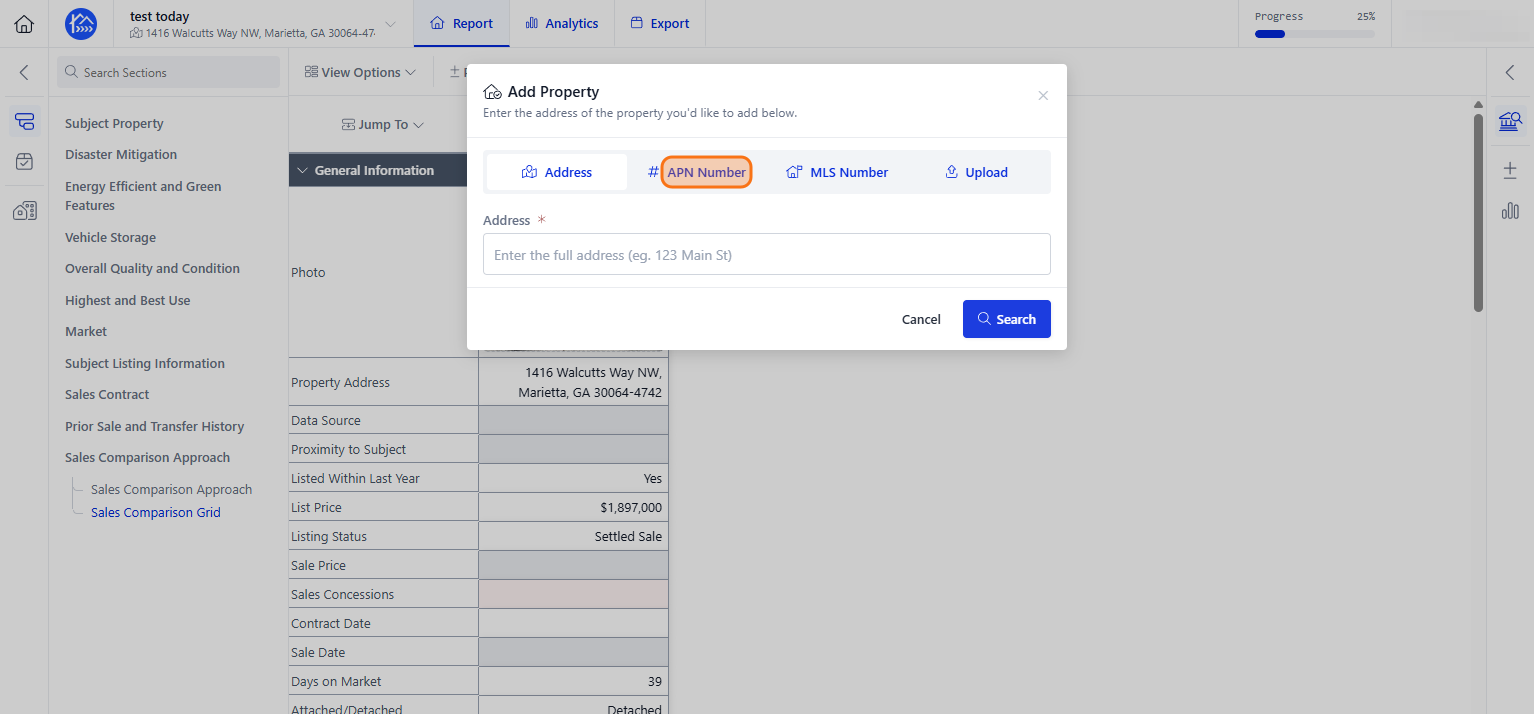
Click the APN Number tab to add a property
Step 4
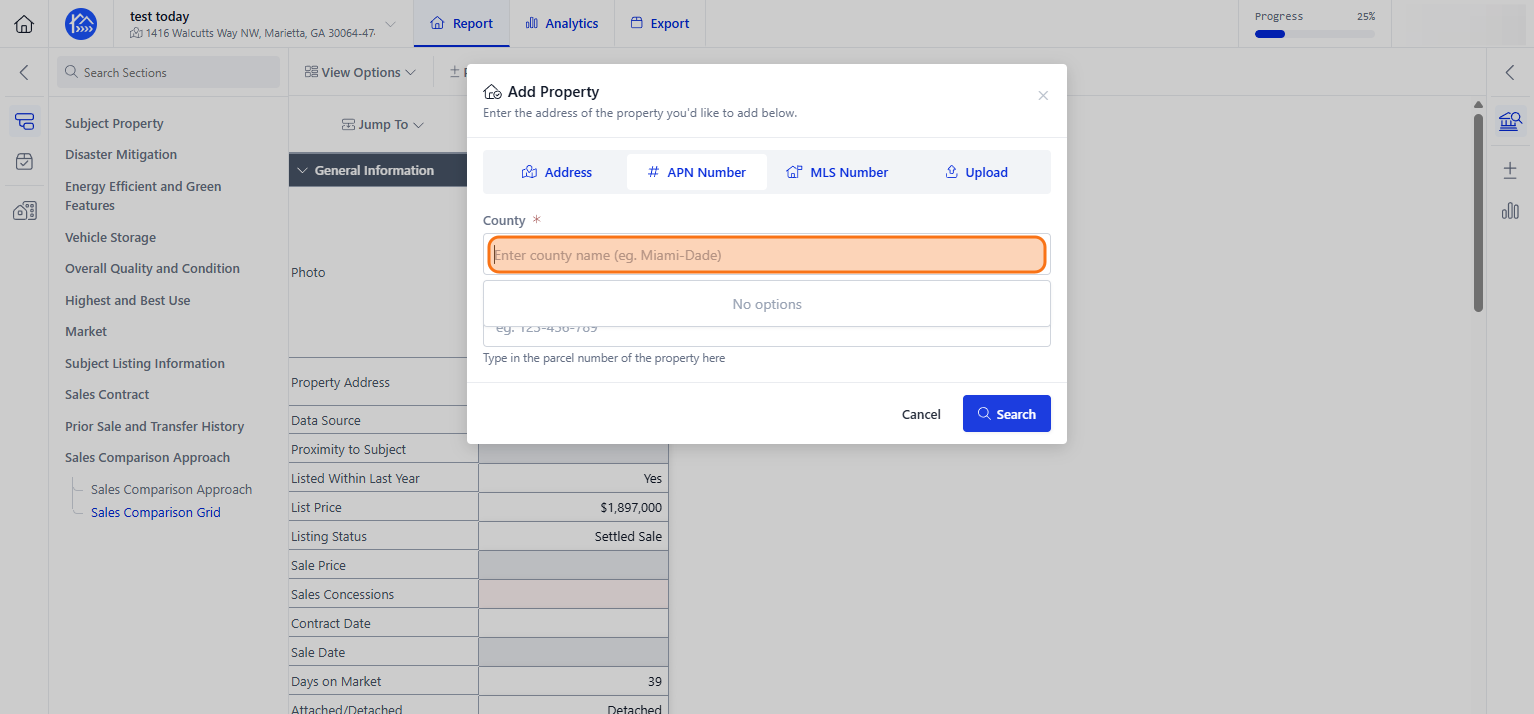
Click the County field and start typing the County where the property is located
Step 5
Select the matching result from the county list
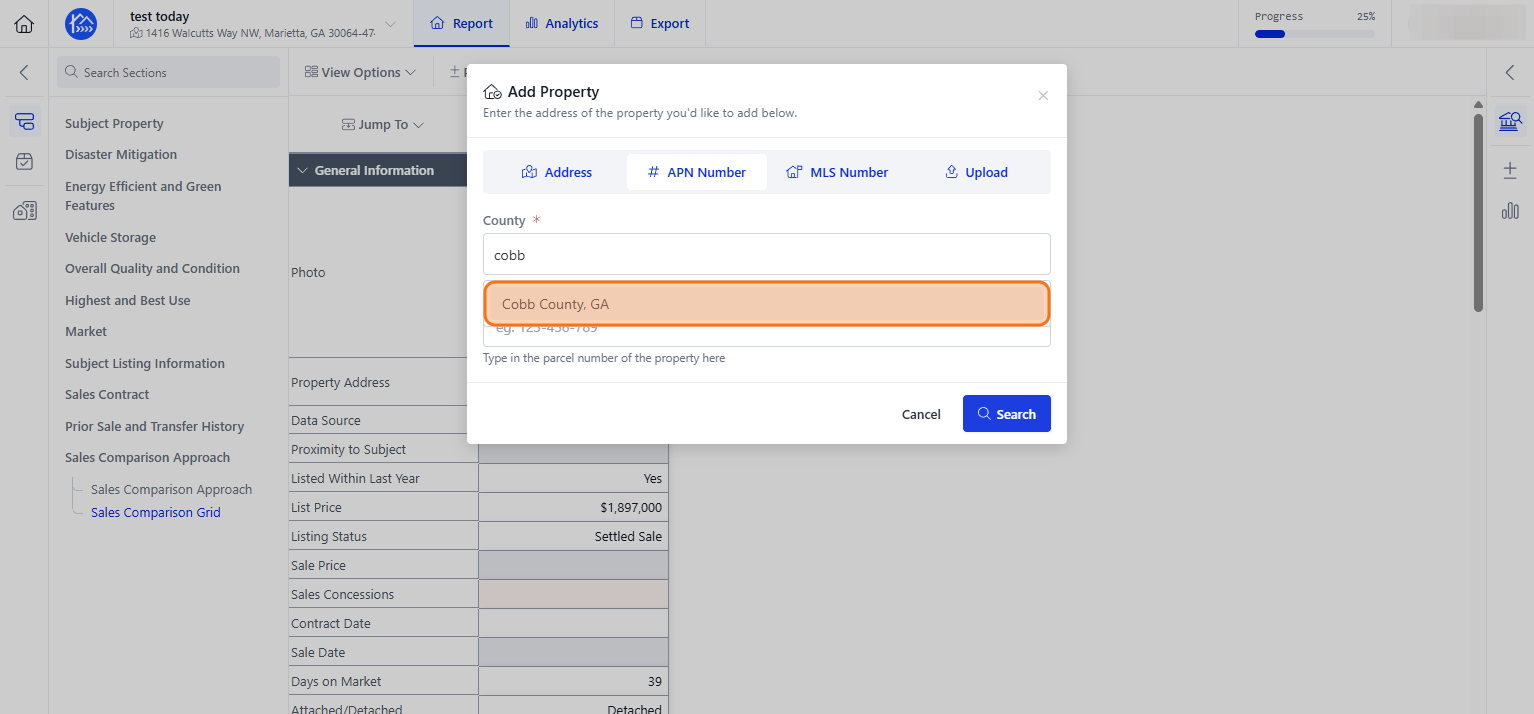
Step 6
Click the APN Number field and start typing the Parcel # (APN) of the property
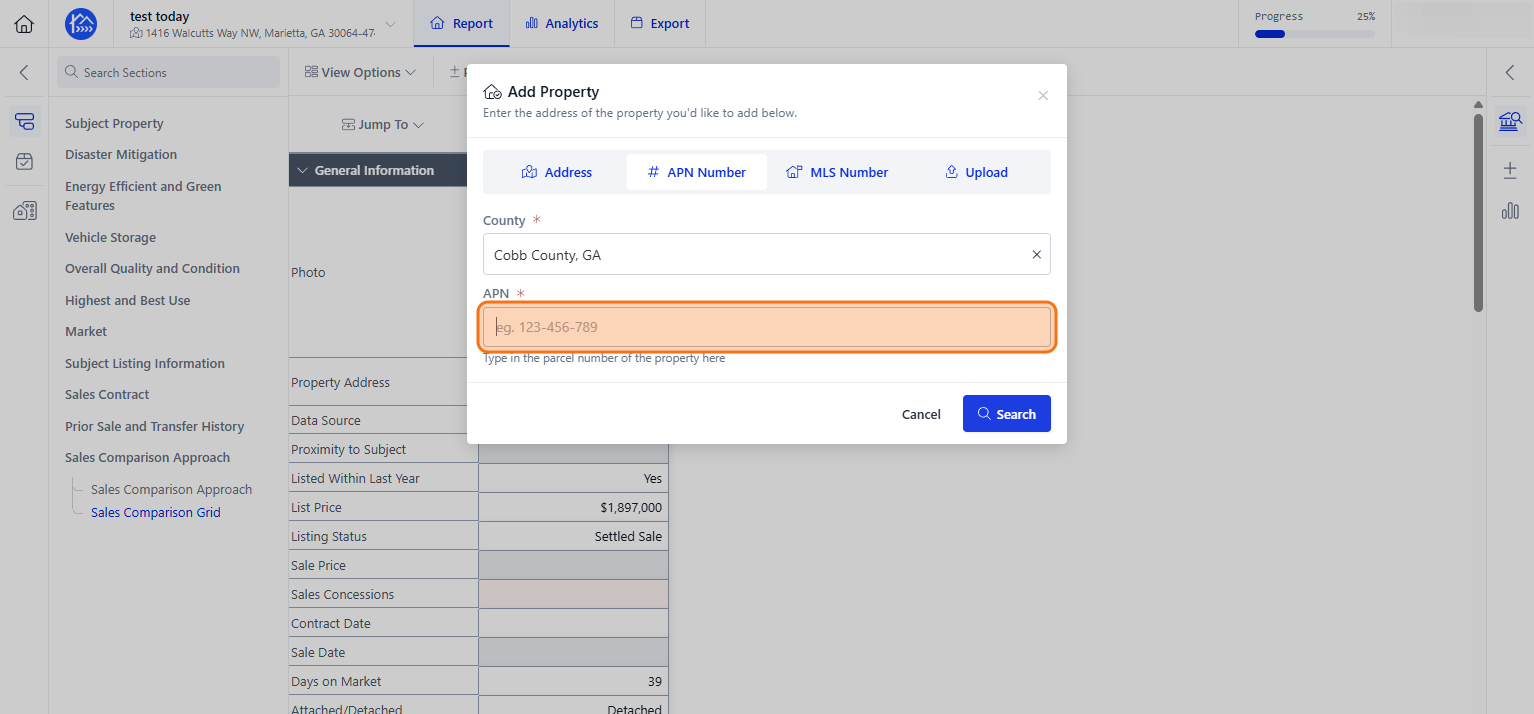
Step 7
Click Search to find the property
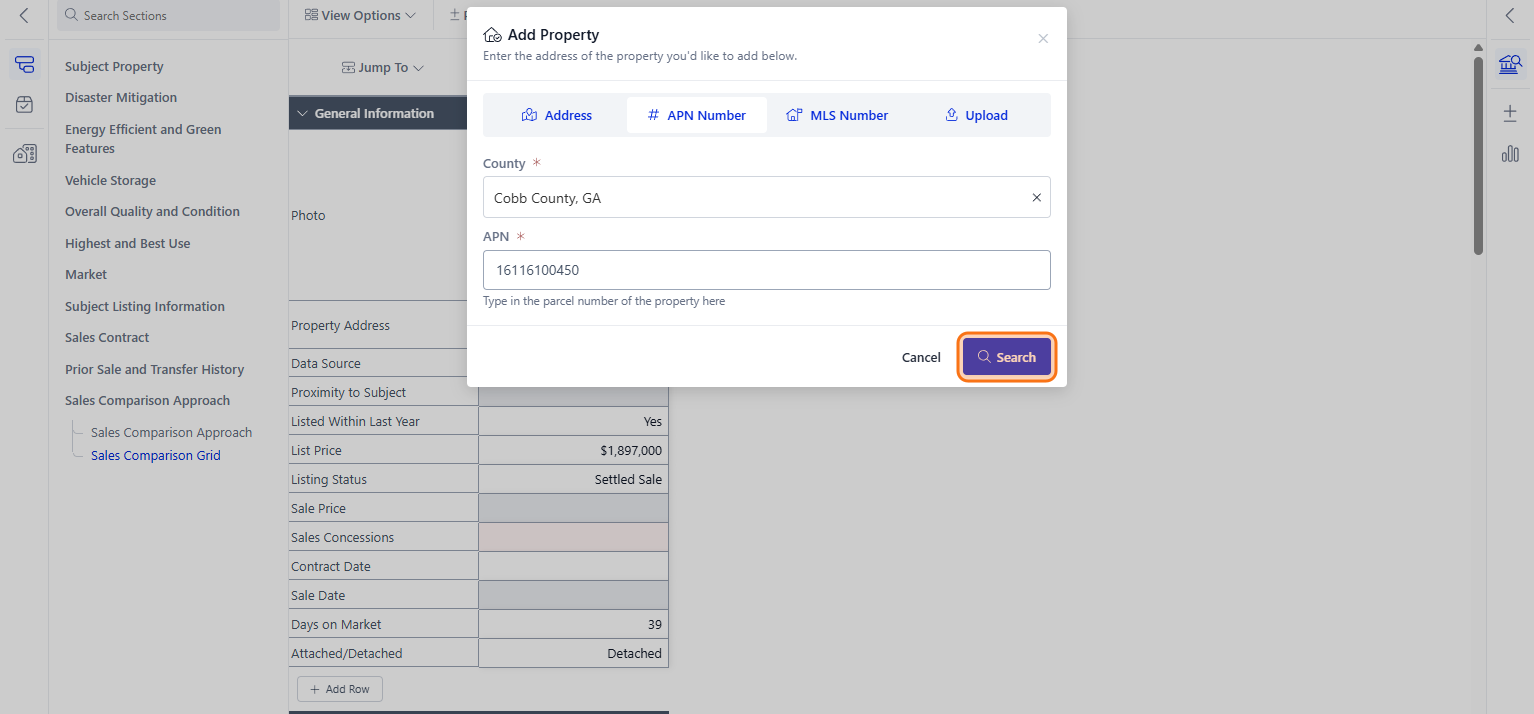
Step 8
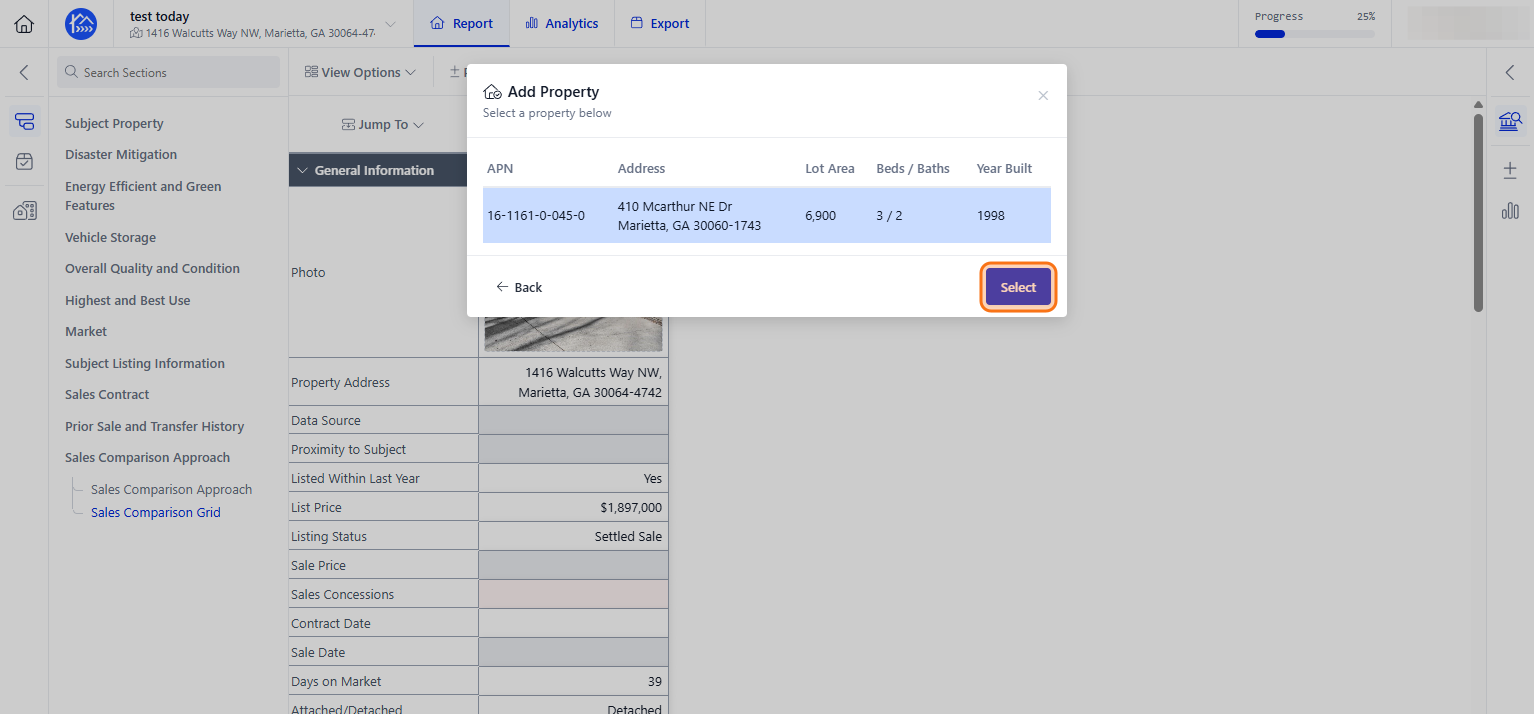
Click on the matching result with the property parcel # (APN) of your comparable
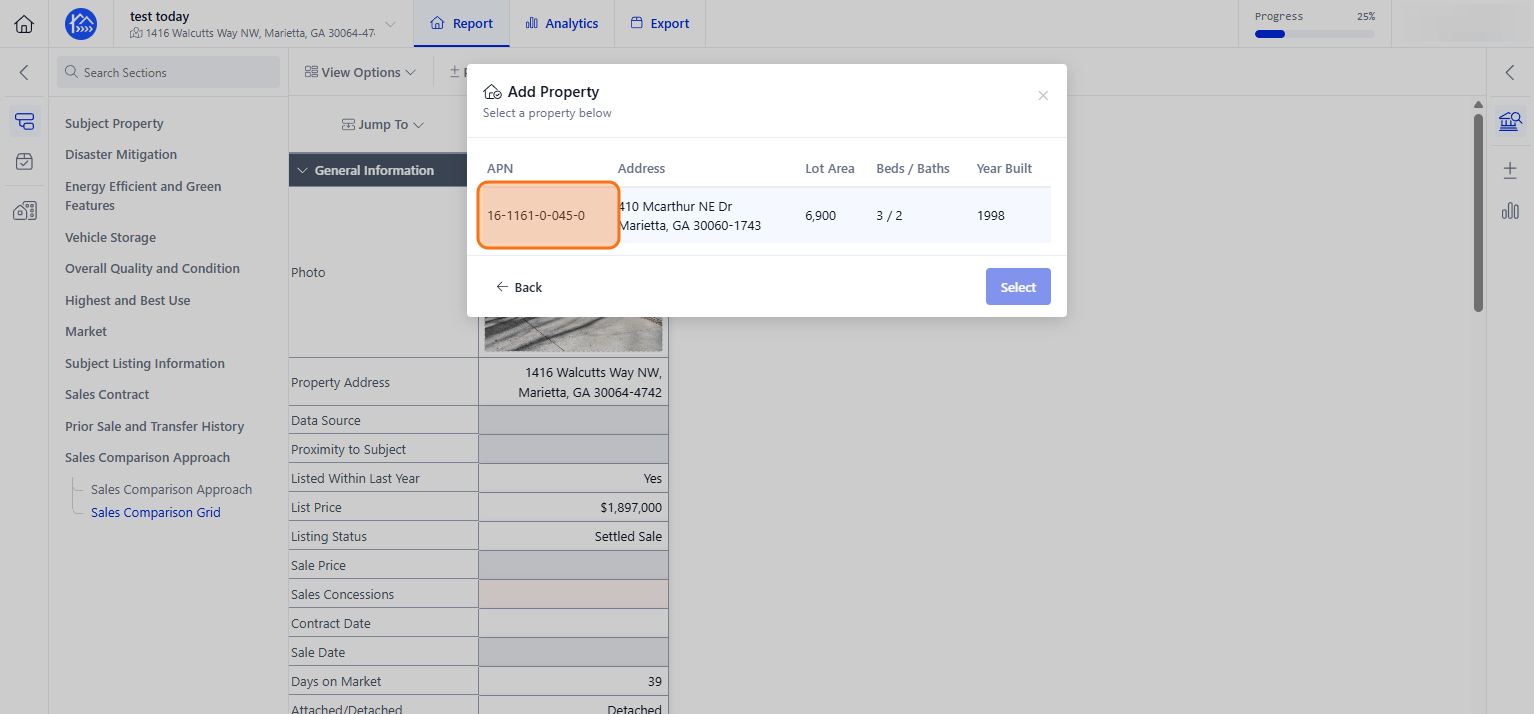
Step 9
Click Select to add the chosen property
Step 10
Your comparable property should now be added on the sales grid