Delete Comps from the Sales Grid
Edited
This guide walks you through deleting a specific Comparable on the Sales Grid in your UAD 3.6 report.
Step 1
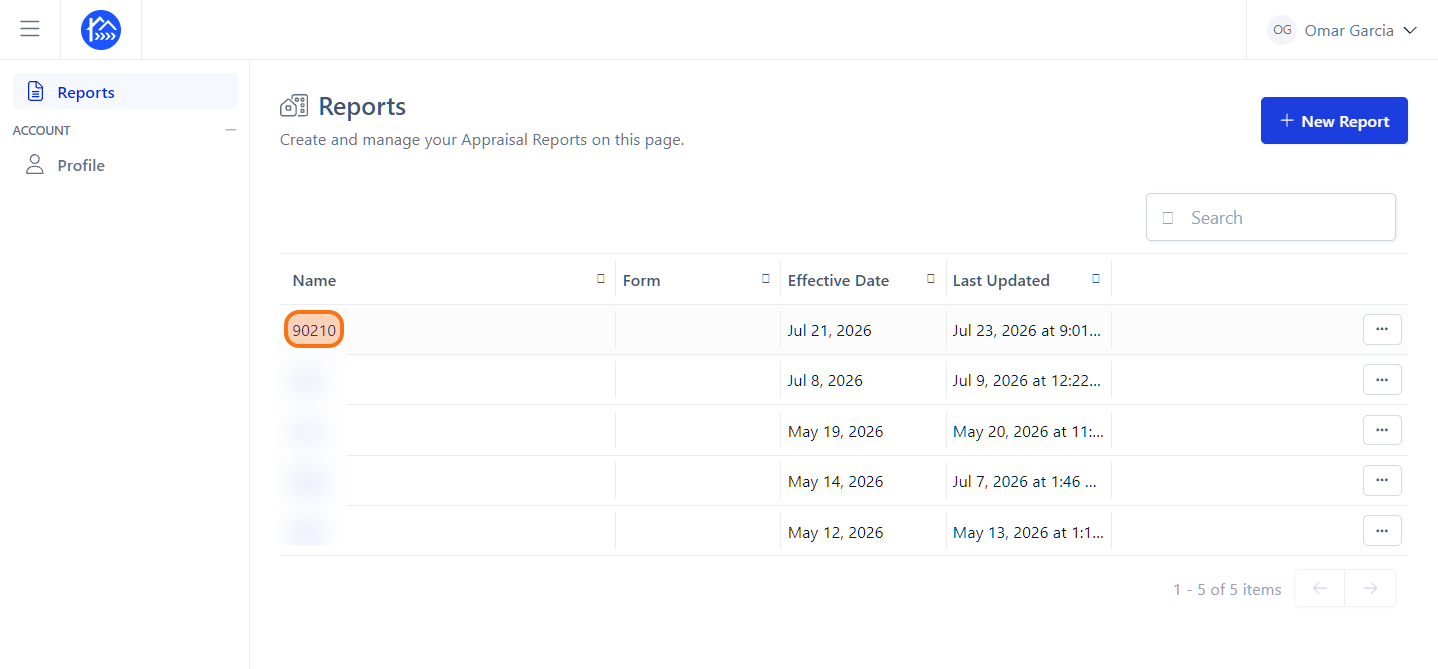
Navigate to your report within the DataMaster portal.
Step 2
Click on the name of the report to open it.
Step 3
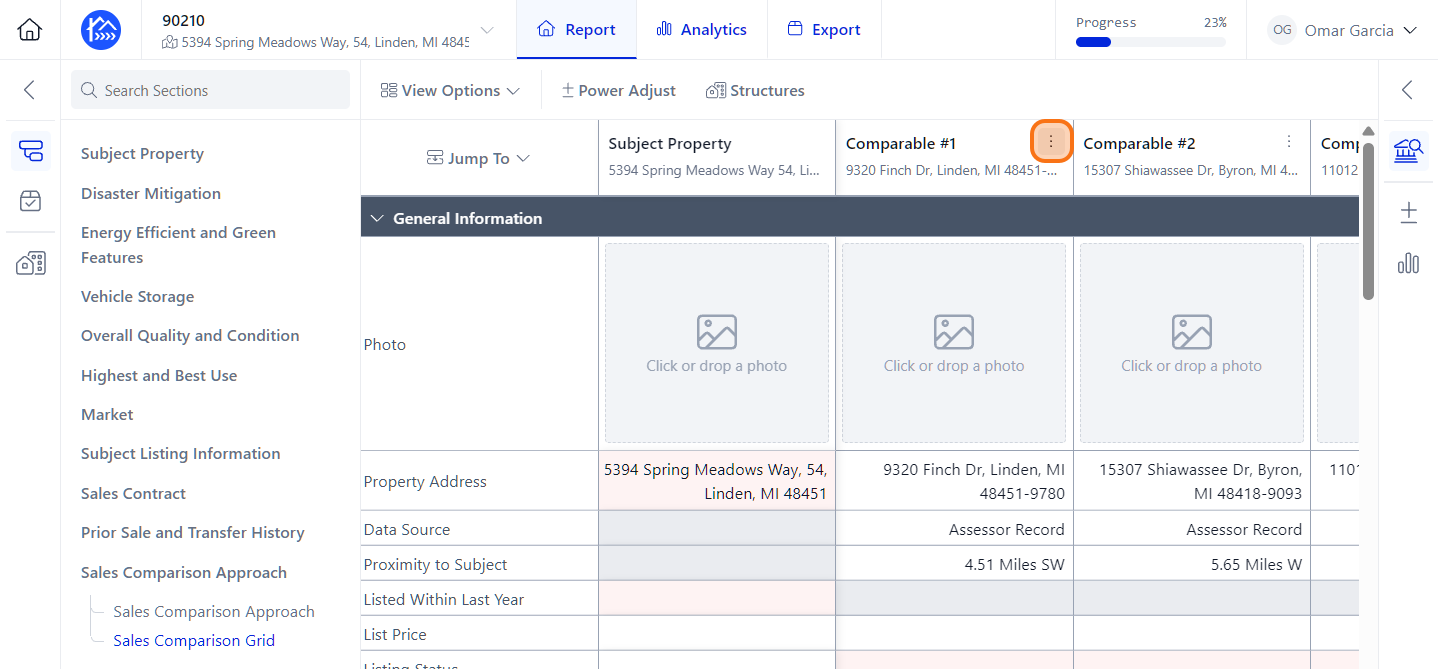
Click on the three-dot menu on the Comparable that you'd like to delete.
Step 4
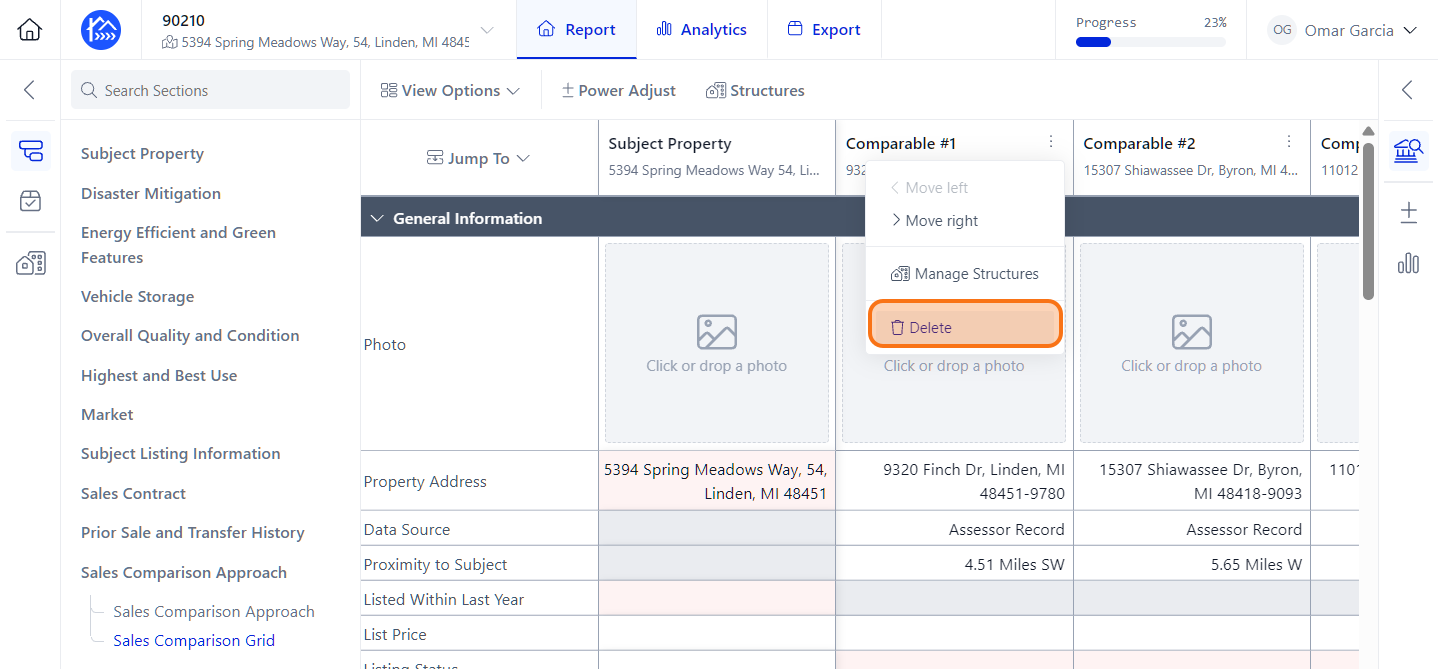
Click Delete for the Comparable you're looking to remove.
Step 5
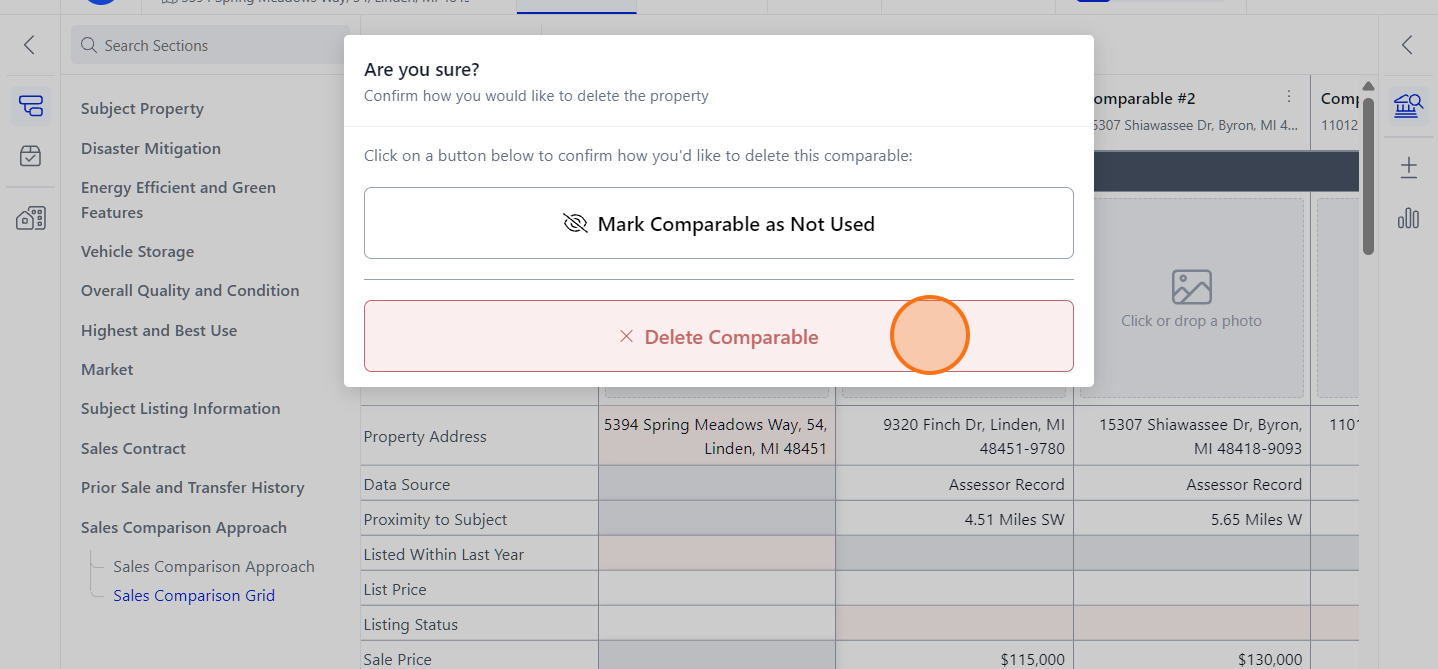
Click Delete Comparable to remove it and you're all done.