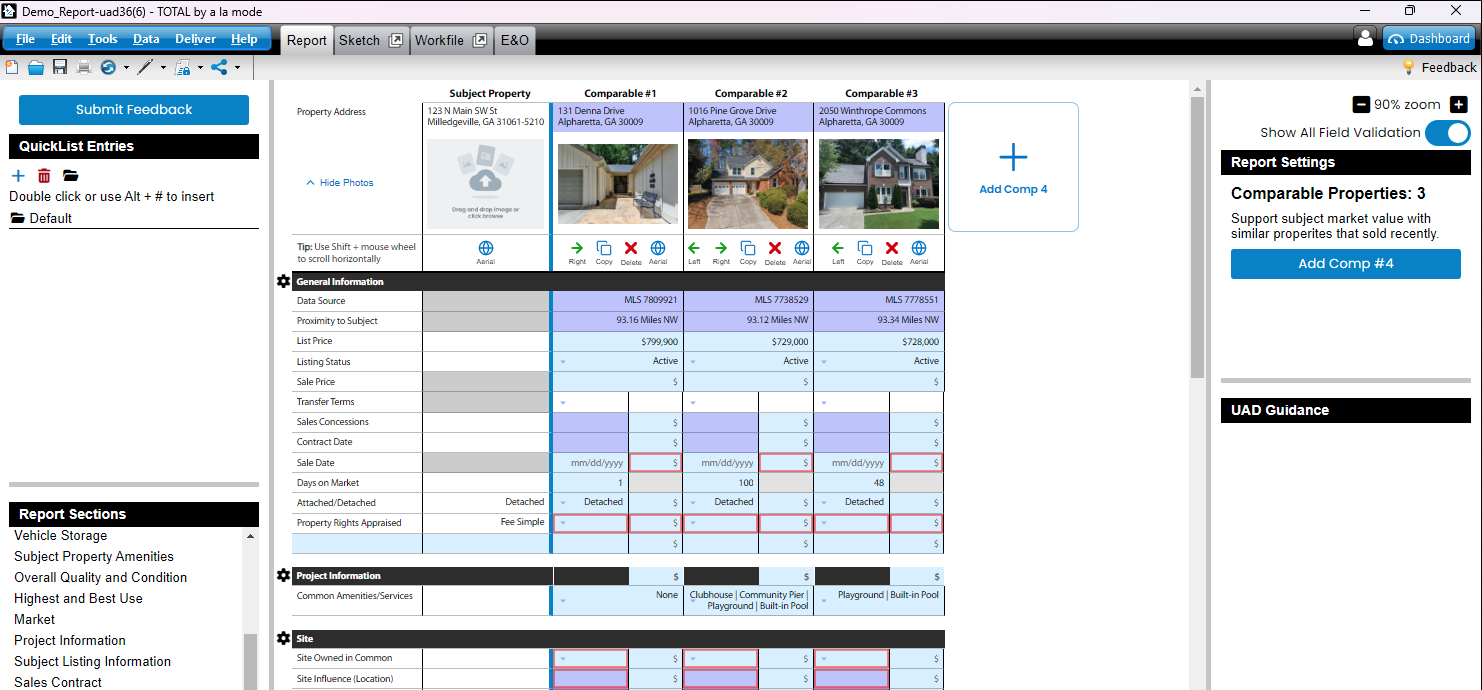
Export a UAD 3.6 report to a new Total report
Edited
This guide details how to export a UAD 3.6 report from DataMaster into Total by a la mode as a new UAD 3.6 report.
Step 1. Navigate to your UAD 3.6 report in DataMaster
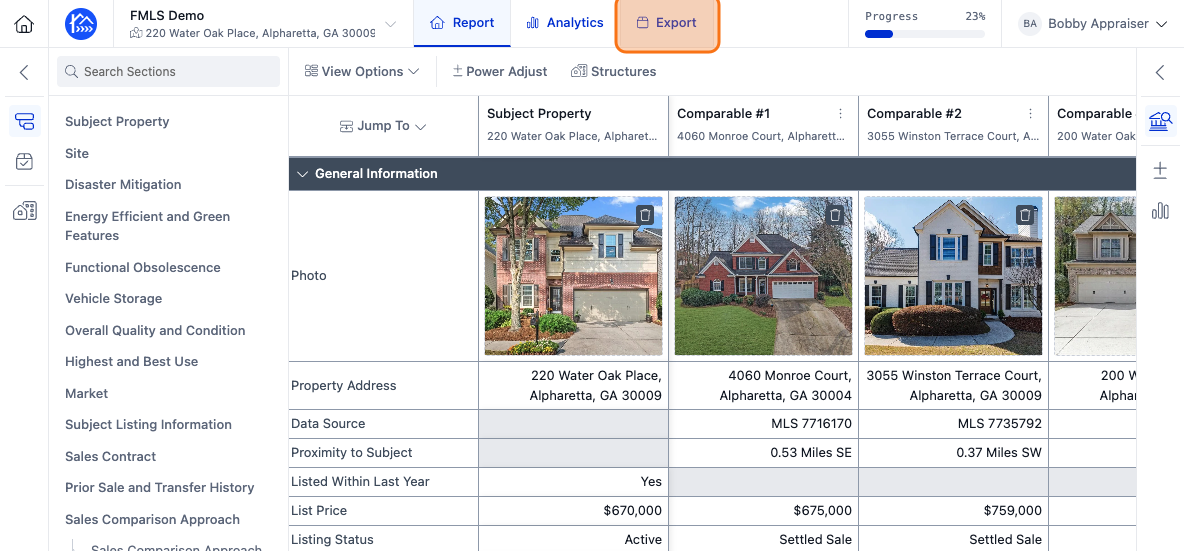
Step 2. Click on the Export button to open the export dialog.
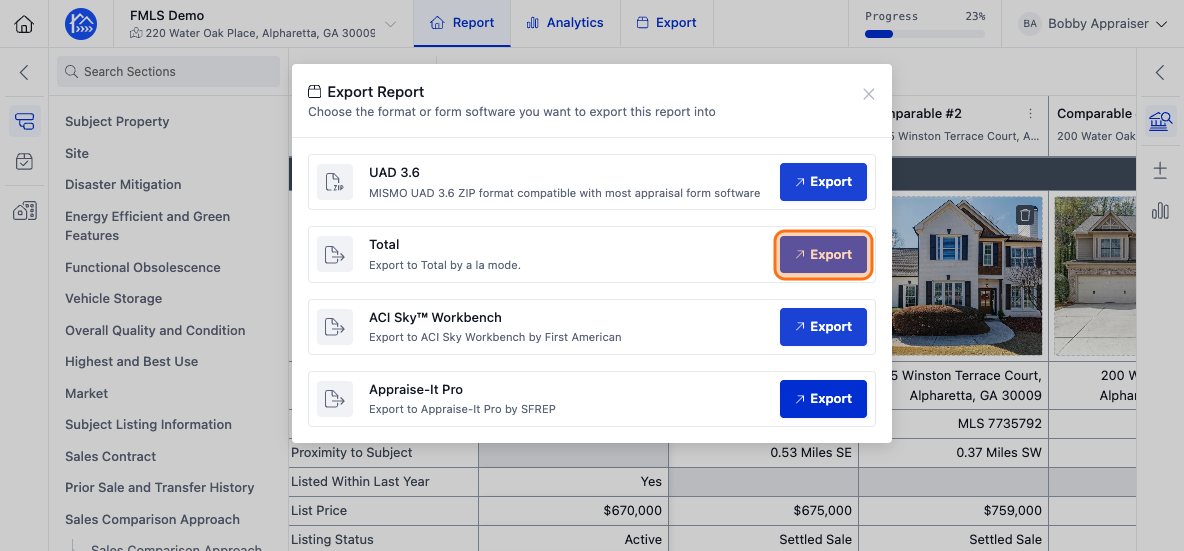
Step 3.Find Total in the list of export formats and click Export next to it
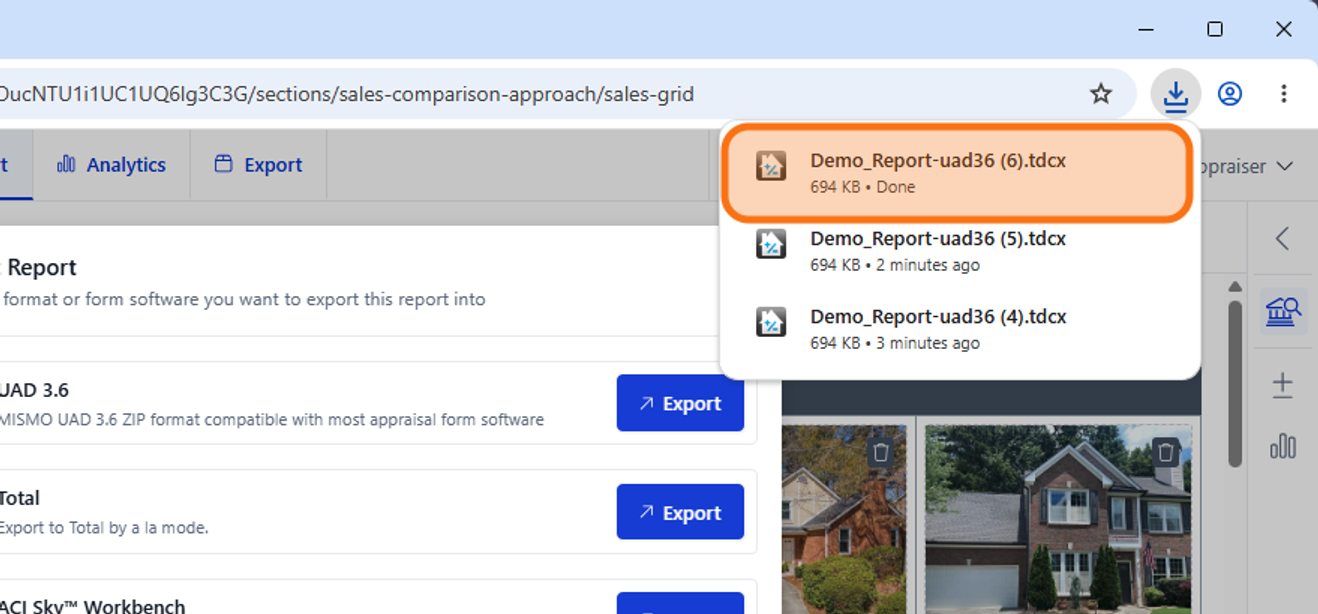
Step 4. Click on the newly downloaded file in your Downloads tab on your browser
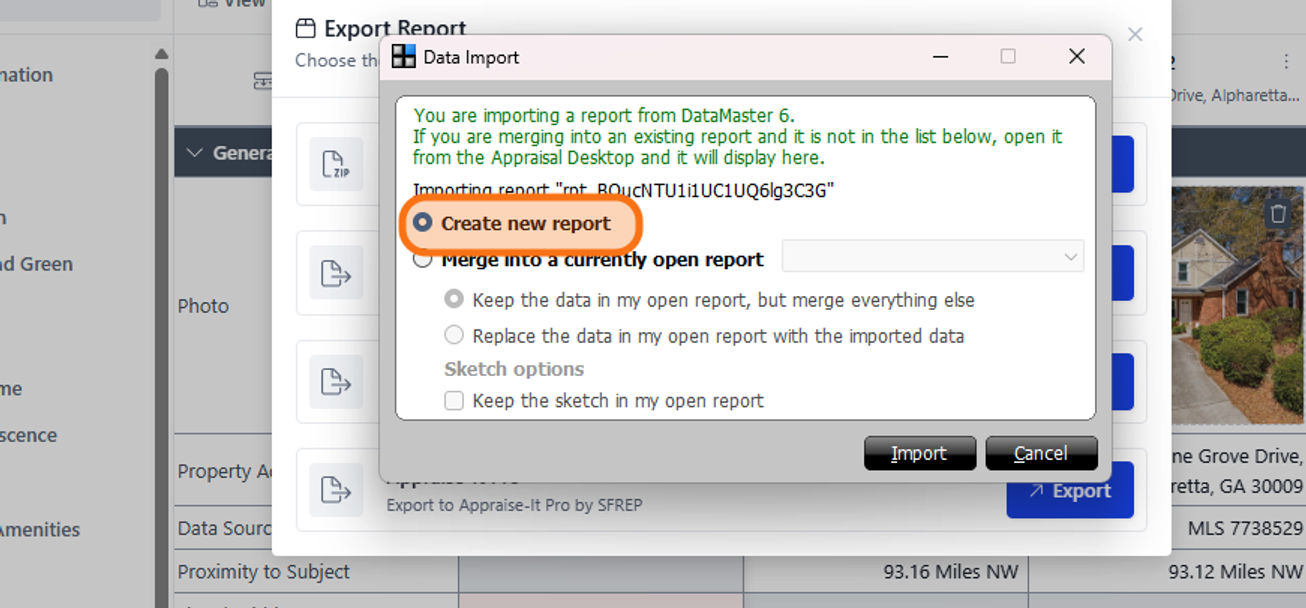
Step 5. Click on the checkbox next to the Create new report option
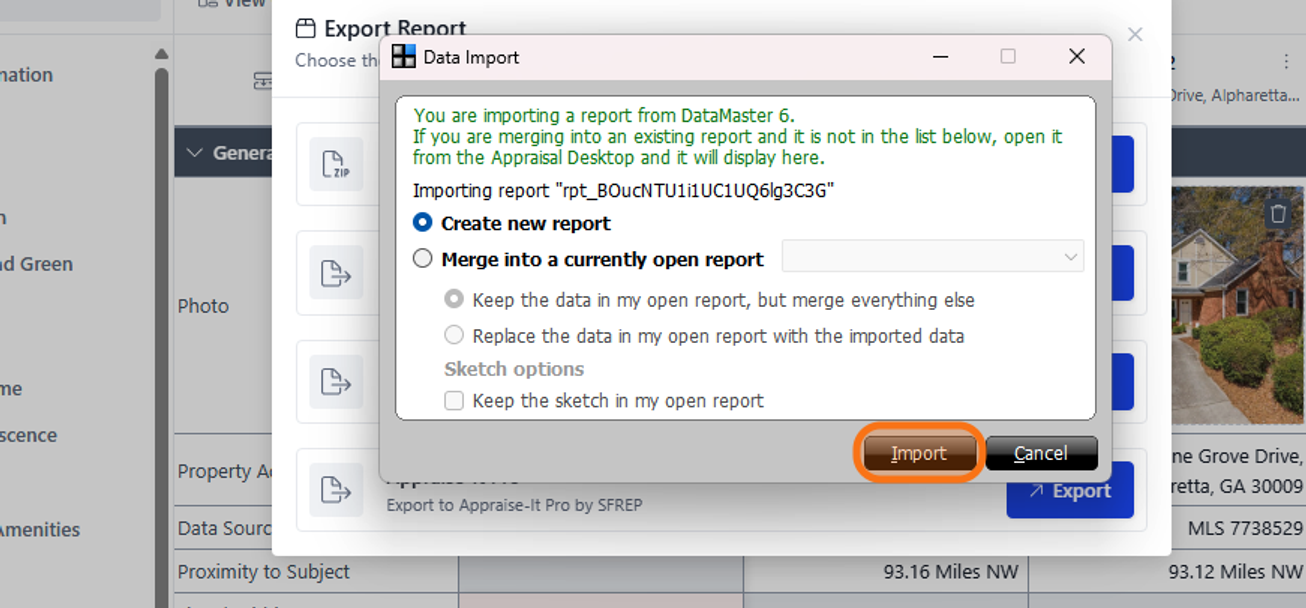
Step 6. Click on the Import button.
Step 7. You should now see your data in a new report within Total, don't forget to save it