Reorder Comps on the Sales Grid
Edited
This guide shows how to navigate the DataMaster USA portal to access and reorder the Comparables within your DataMaster UAD 3.6 report.
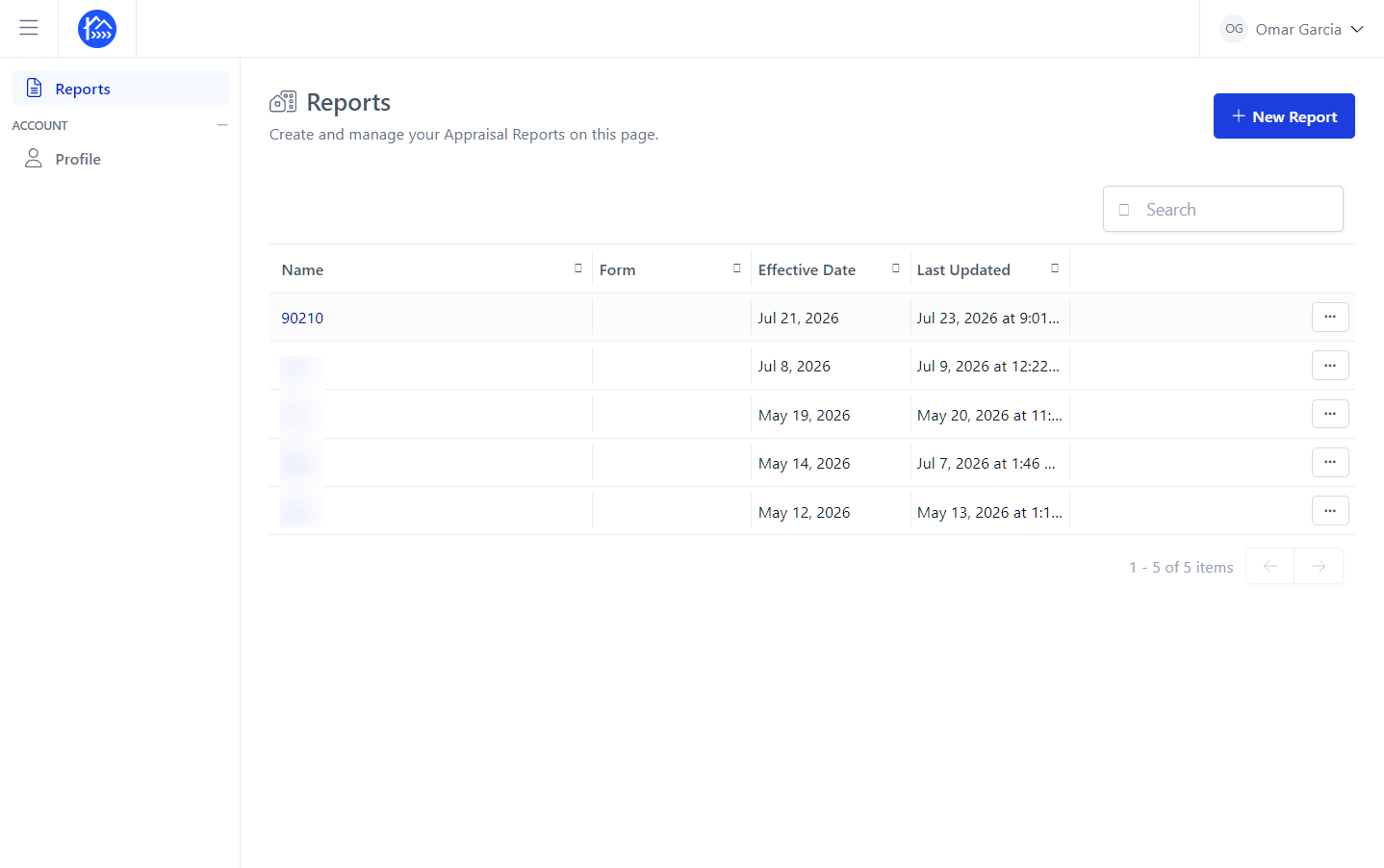
Navigate to your report within the DataMaster portal.
Click on the name of your report to open it.
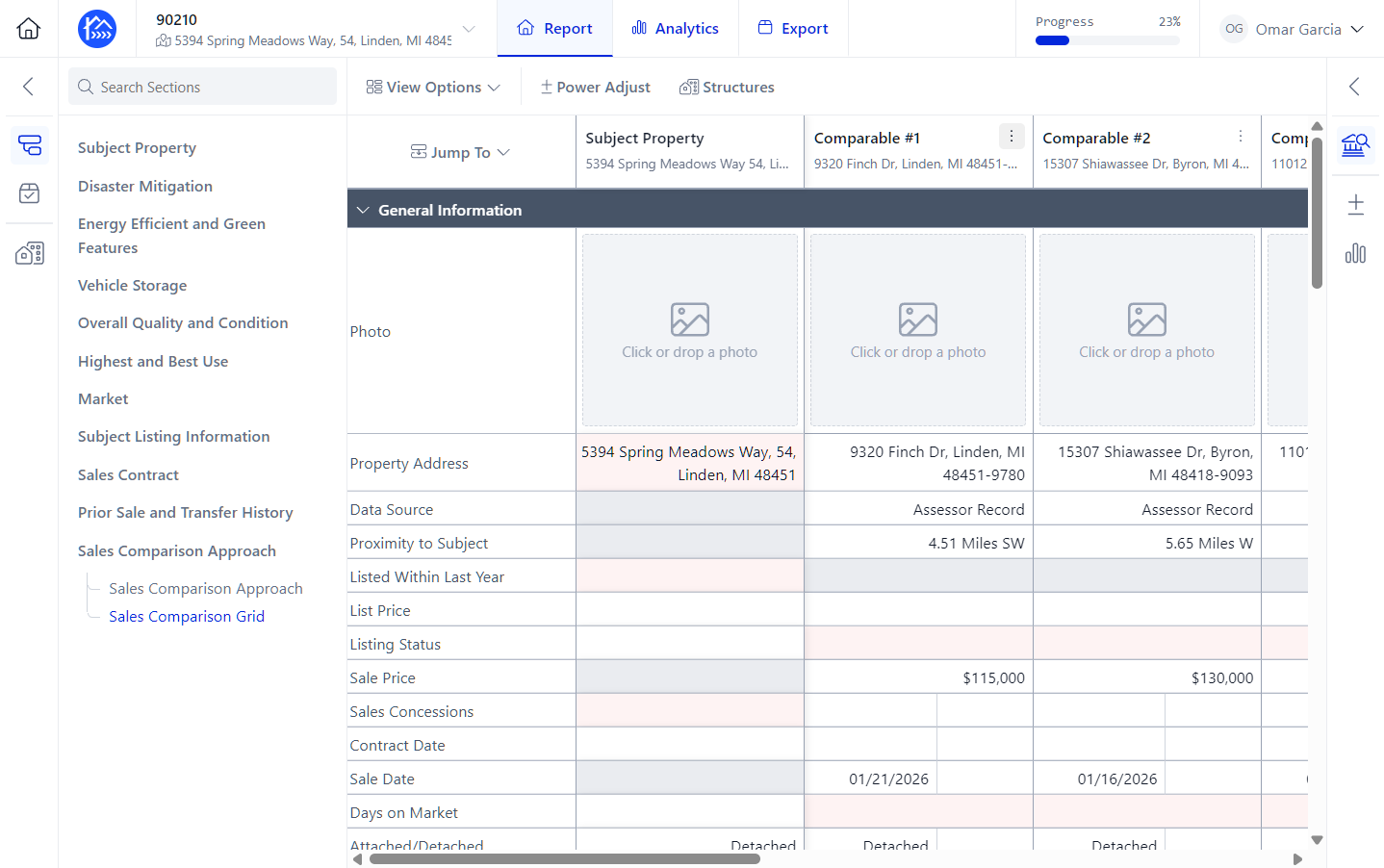
Click the More options menu (three-dots) for the Comparable that you'd like to reorder.
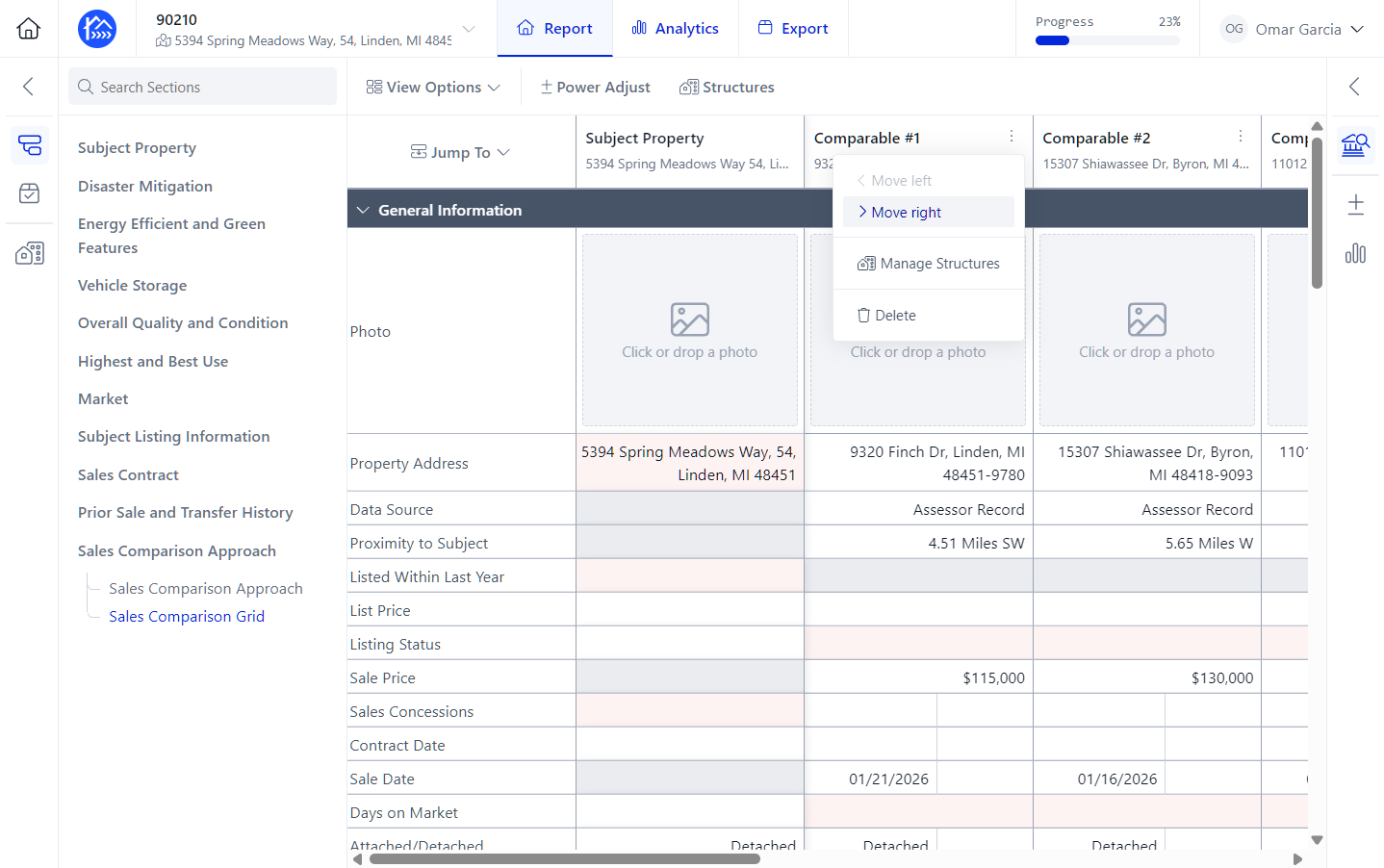
You can either click Move right for the Comparable.
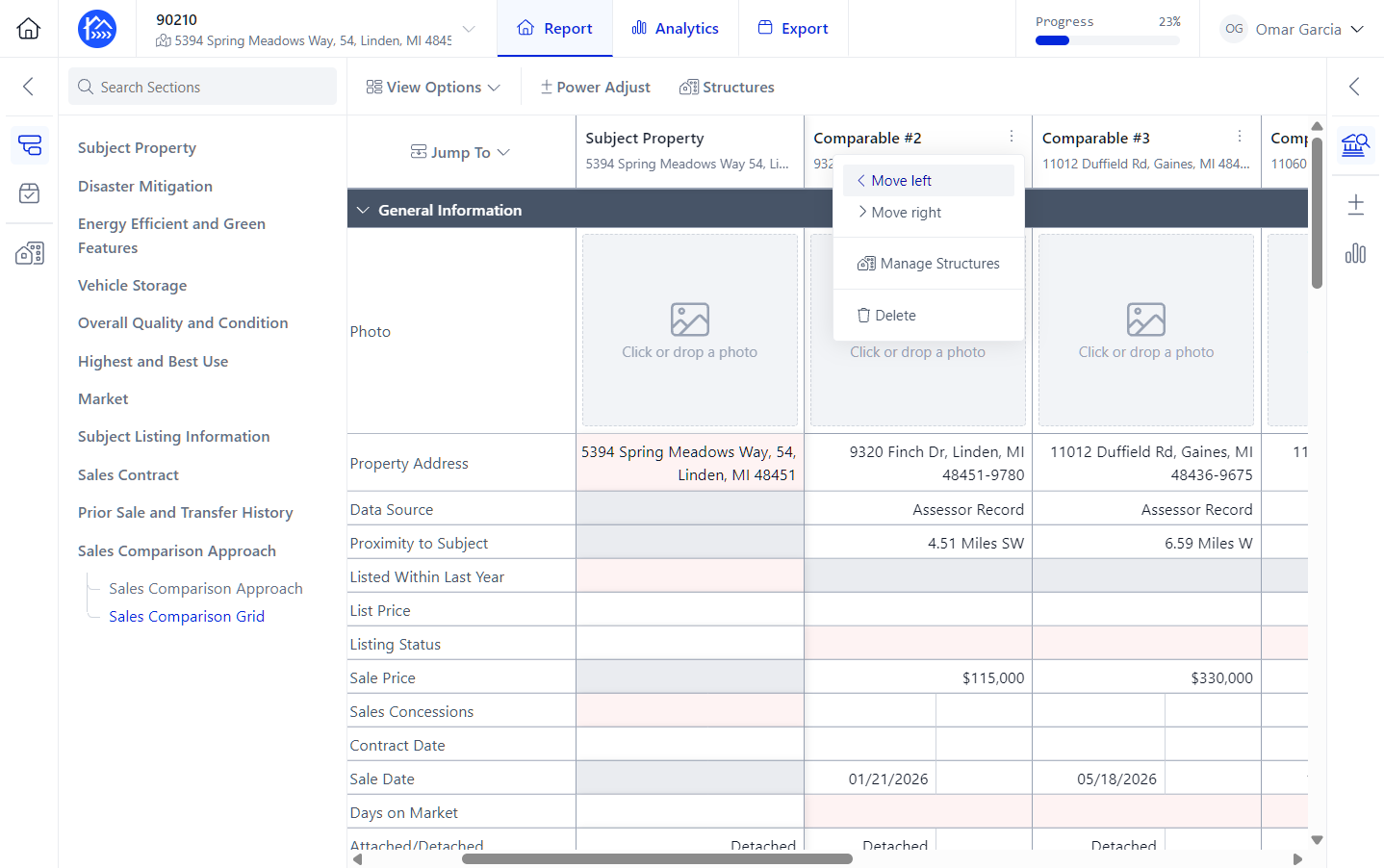
Or you can click Move left for the Comparable you'd like to reorder.
You can do this until you get it to your desired position on the sales grid.
And you're all set!