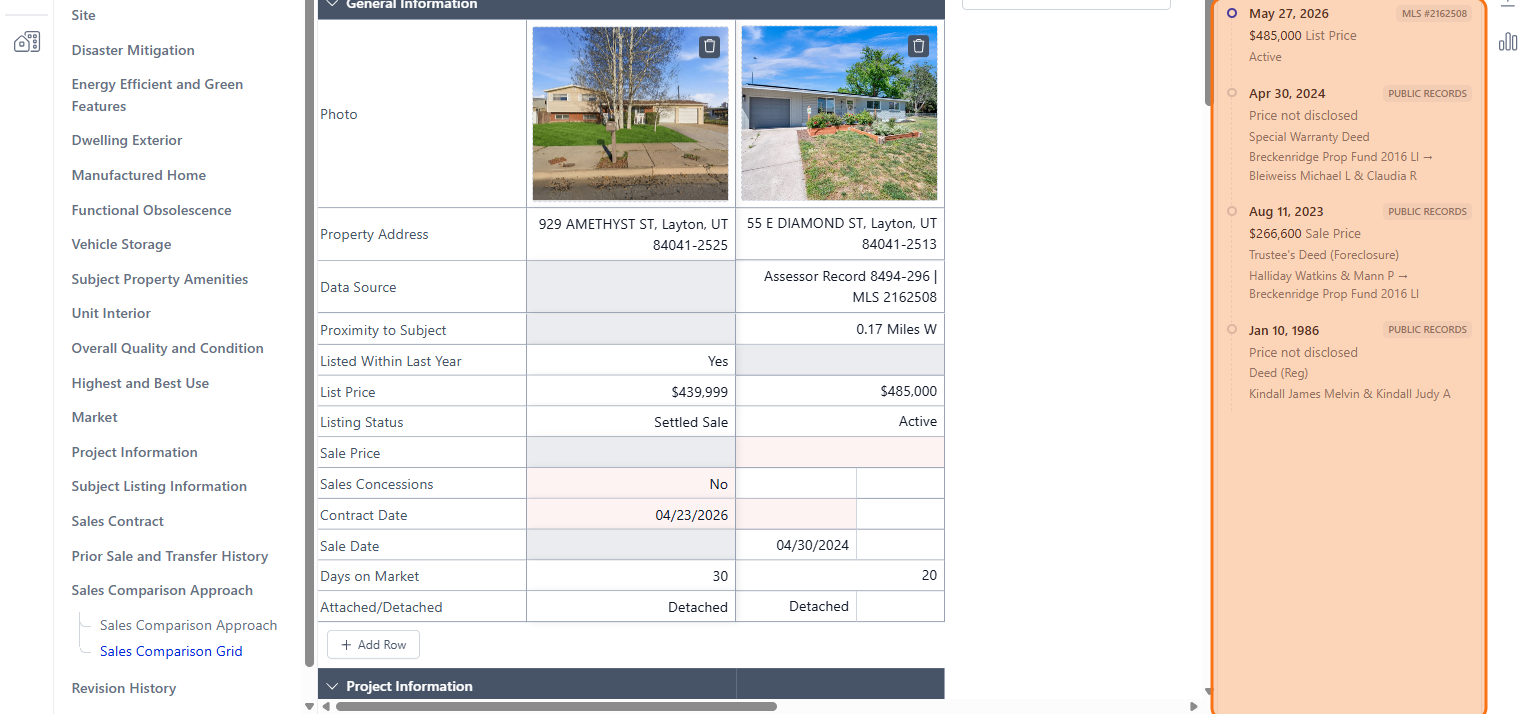
How to View Historical Deeds in DataMaster
Edited
This guide walks you through accessing the historical deeds for each comparable.
Step 1
Navigate to your DataMaster report.
Step 2
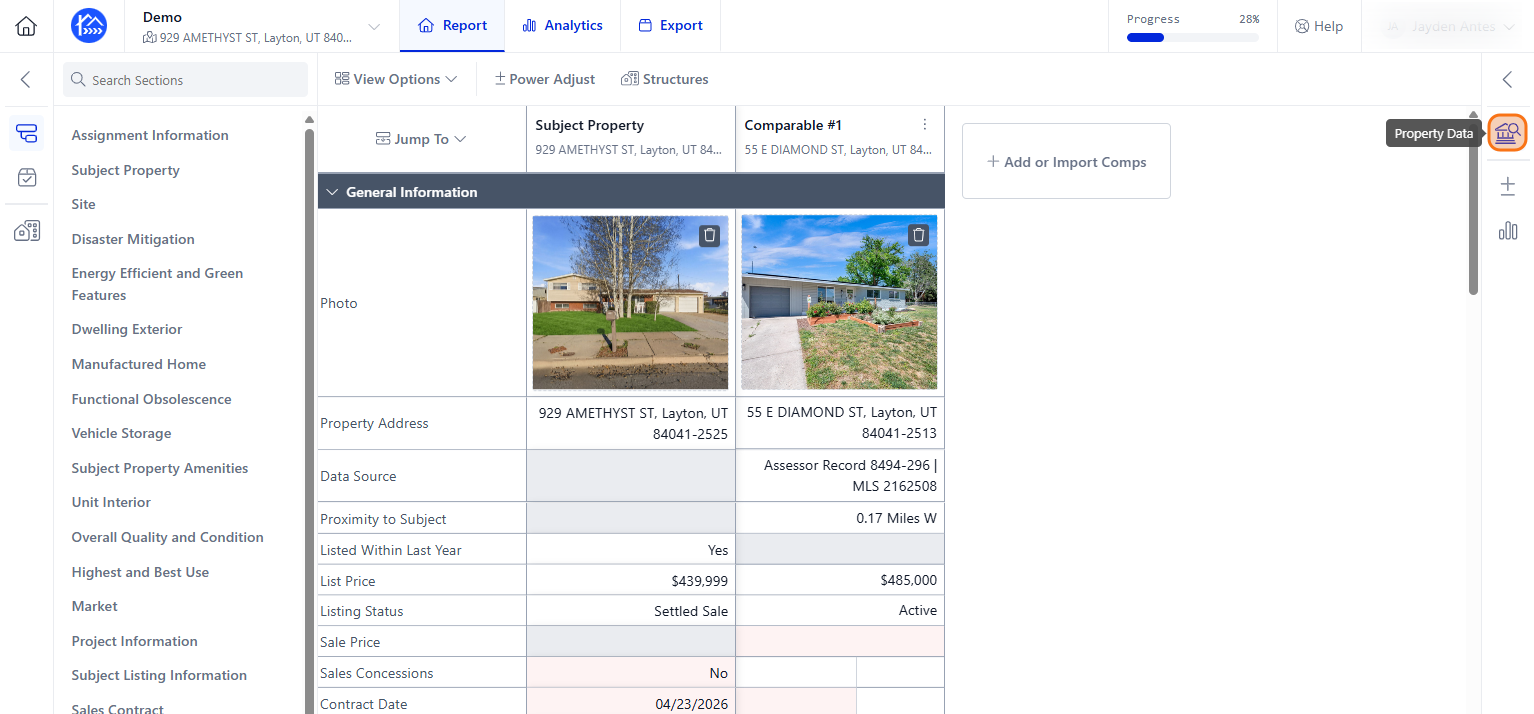
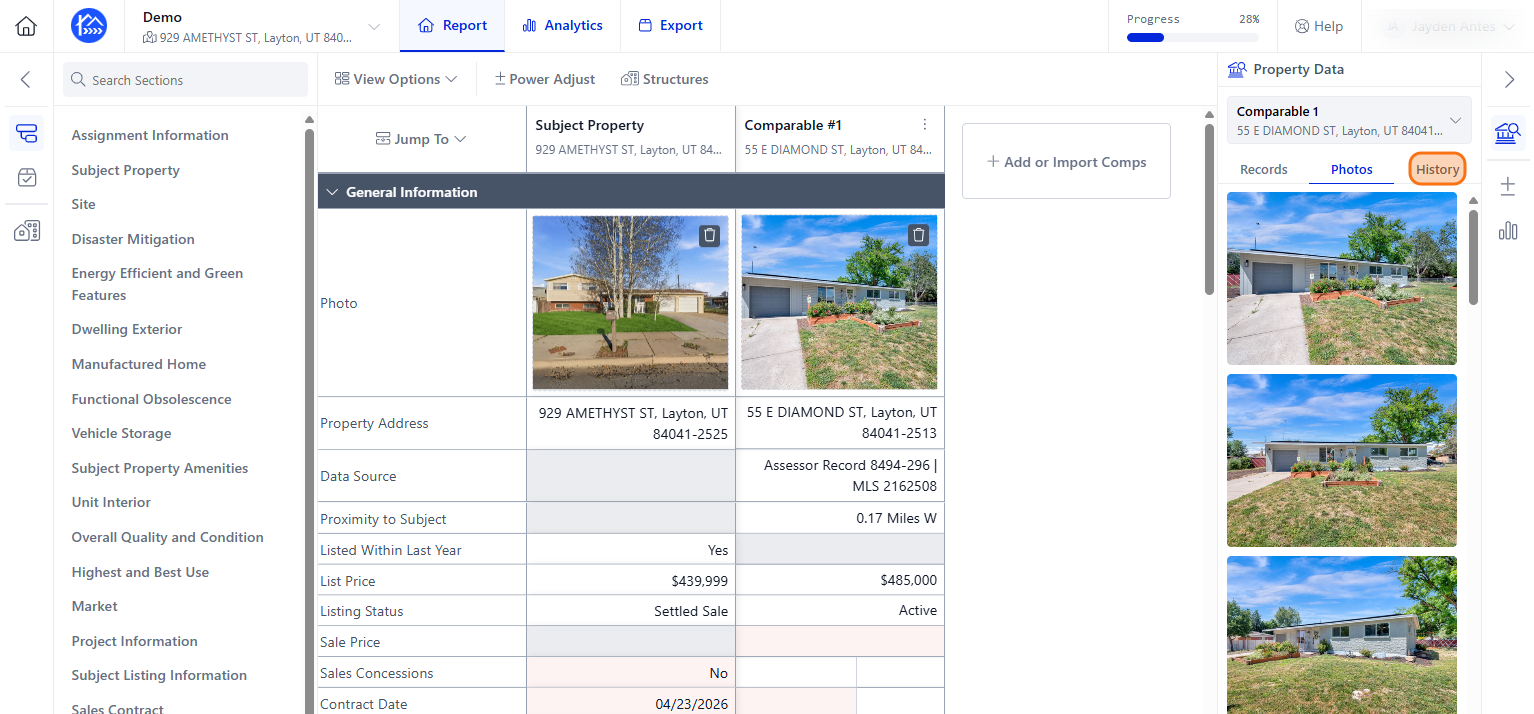
Once you have the comparables and subject in Data Master 3.6, click the Property Data icon on the right side. This will give you a view of all your MLS information for both your subject and all your comparables.
Step 3
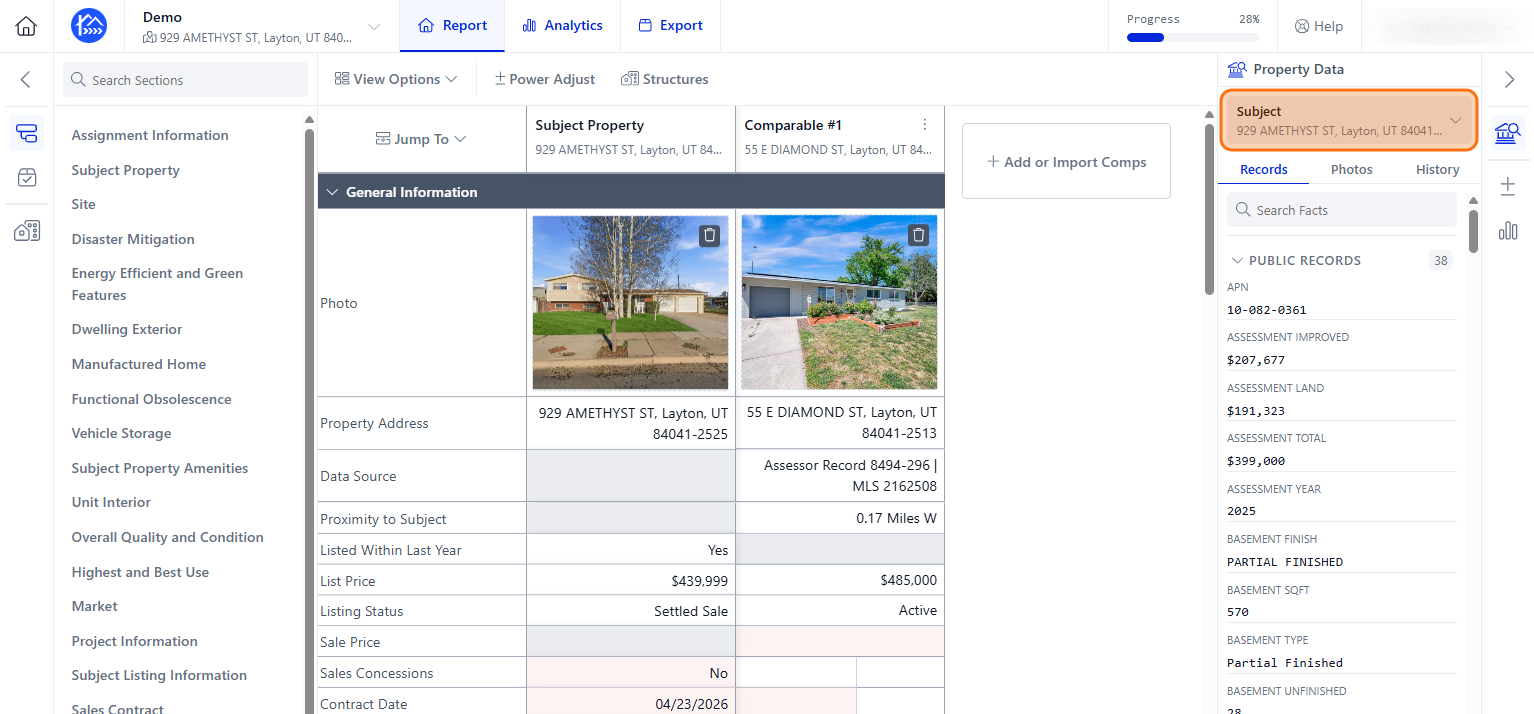
You can tab between your properties here by clicking the Subject dropdown menu.
Step 4
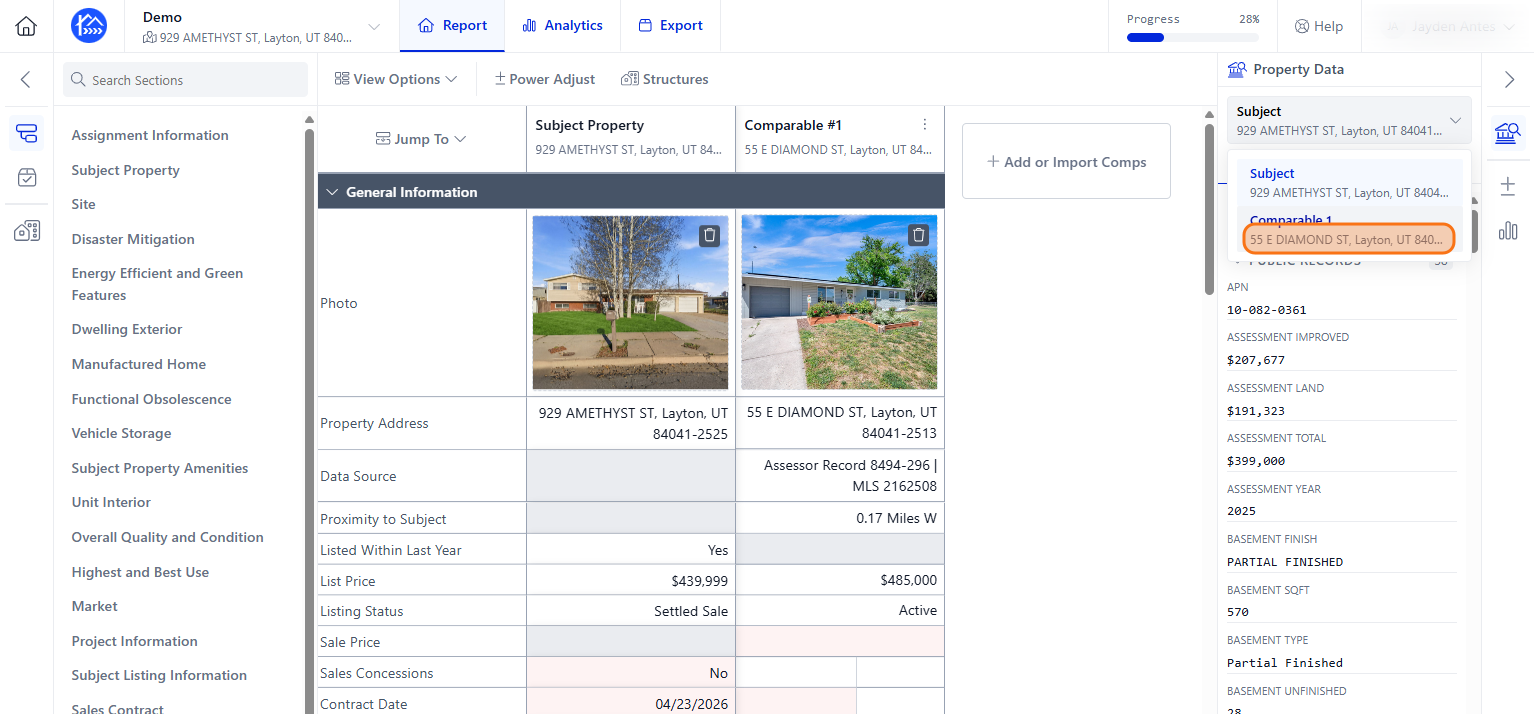
Select a comparable property from the list, to load its specific data.
Step 5
Next, click the History tab to explore past transactions.
Step 6
Scroll through the timeline to review historical list prices, sales, and public records for the address.