
Copy Subject Sales Grid value to all Comps
This guide shows how to copy one of the Subject Property's values to every Comparable on the Sales Grid in one step. Use it when your comps share a characteristic with the subject (for example the same Quality or Condition rating, Foundation, or Roof type) so you don't have to edit each Comparable by hand.
Navigate to your report within the DataMaster portal and open the Sales Comparison Approach section to view the Sales Grid.
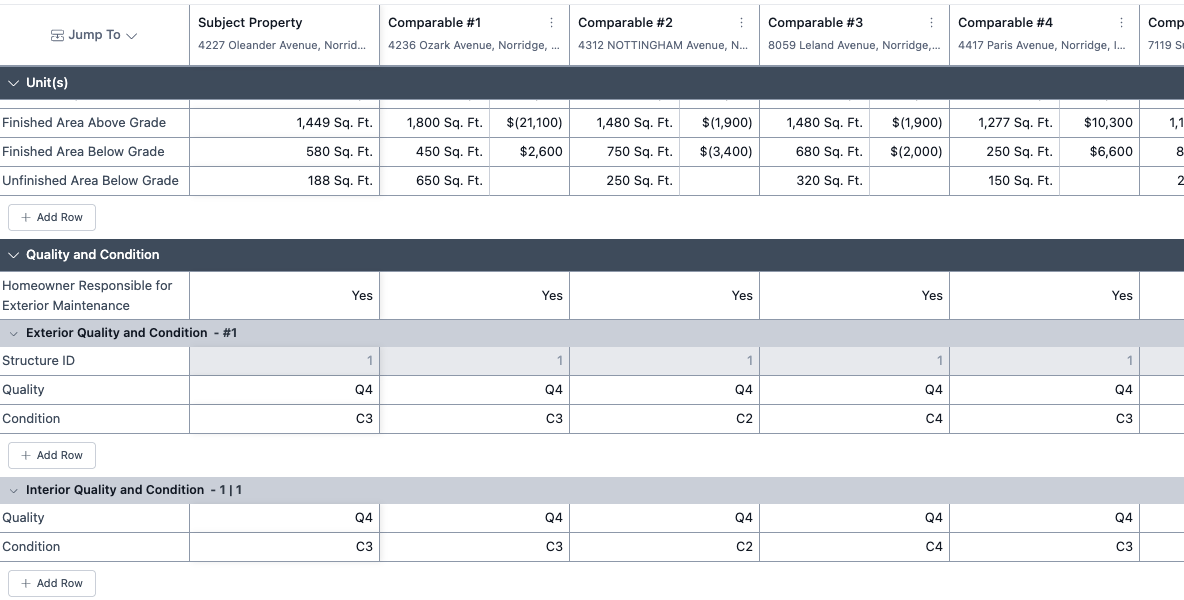
Find the row you want to copy. In this example the subject's exterior Condition is C3, while the Comparables show C3, C2, C4 and C3.
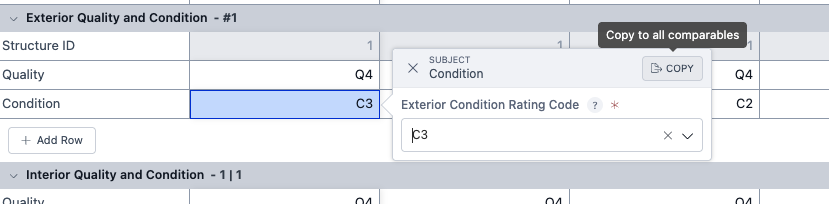
Click the value in the Subject Property column. The cell editor opens with a Copy button in its header. Hover over it to see Copy to all comparables.
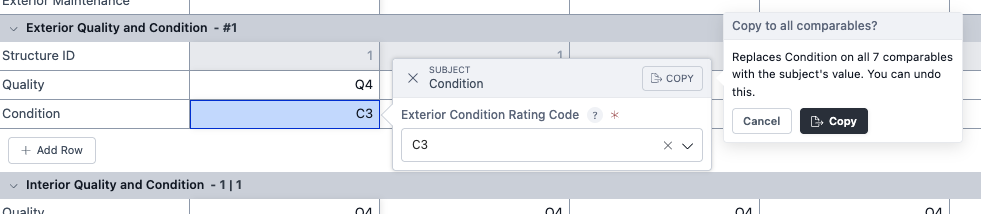
Click Copy. A confirmation shows which value will be replaced and on how many Comparables. Click Copy again to confirm, or Cancel to back out.
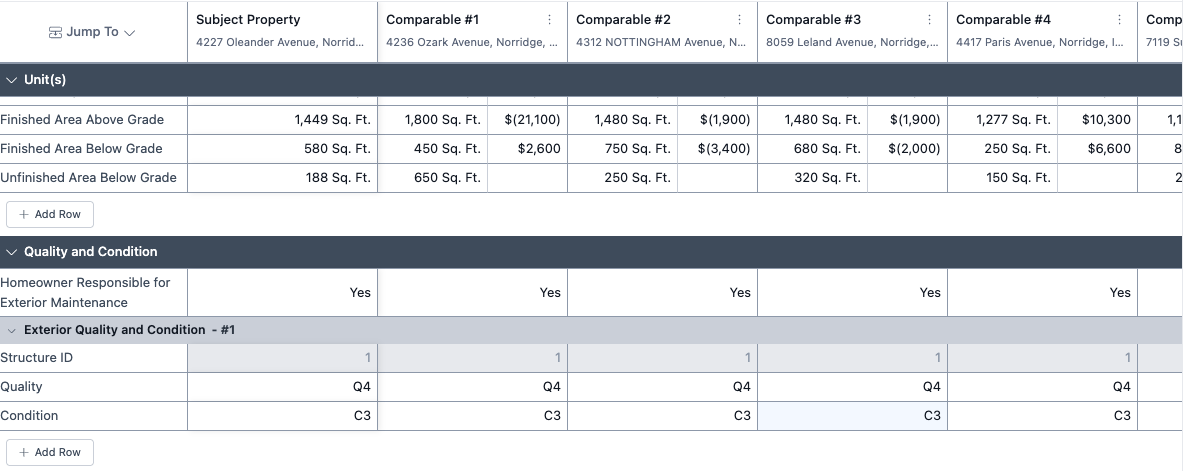
That's it. Every Comparable on that row now shows the subject's value, and a message tells you how many Comparables were changed.
Good to know
Only Comparables that differ are changed. In the example above, 3 of the 7 Comparables didn't already match the subject so only those comparables were updated.
One Undo reverses the whole copy. Click Undo in the toolbar (or press Ctrl+Z / ⌘+Z) and every Comparable goes back to the value it had before.
Adjustments are not copied. Only the Comparable's value changes. Review the adjustment column afterwards, since a Comparable that now matches the subject may no longer need one.
Where the Copy button appears. It shows only on Subject Property cells that hold a single value, and only when the report has at least one Comparable. You won't see it on:
Comparable cells, adjustment cells, calculated (formula) rows, or custom rows you've added.
Rows that can hold several entries, such as View or Site Influence (Location). Edit those on each Comparable.
Rows with more than one structure or unit. The copy applies to the structure or unit row you clicked (for example Exterior Quality and Condition – #1), not to every structure.